The "Prevent double content generation with other Flows" feature is crucial for ensuring you do not generate content twice for the same product when it might belong to multiple Flows. This helps optimize your AI usage (tokens) costs .
1. The Main Standard (Global Setting)
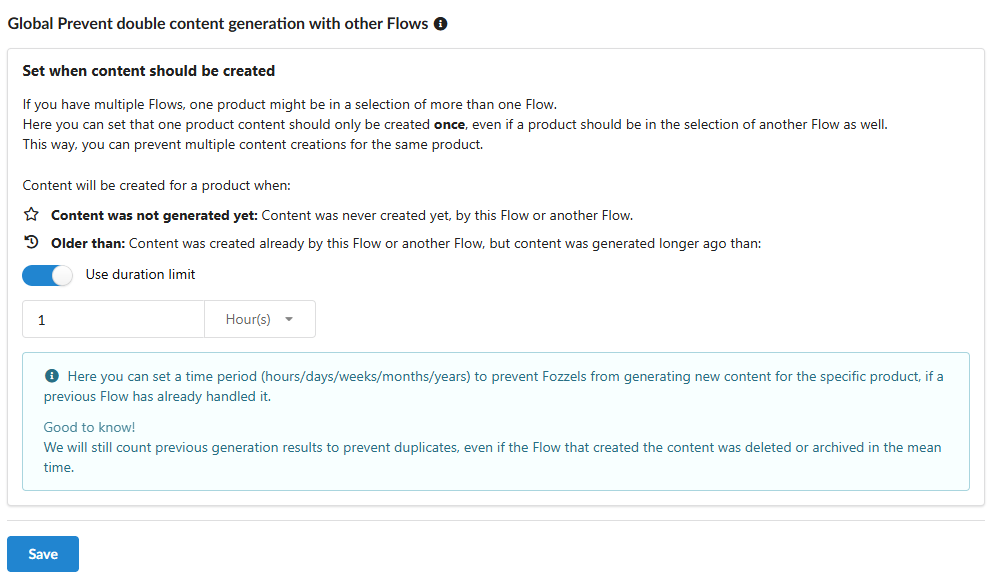
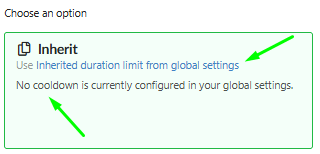
This is the Global setting that applies to all your Flows unless otherwise specified. You set it once under: Profile → Settings → Content Flow.
Content was not generated yet: Generation is allowed only if content for this product has not been created by any other Flow previously. This is the strictest check.
Older than: You set a time limit (e.g., 1 week). Generation is allowed if the existing content was already created once before by another Flow, but before the set duration.
1.1. Managing the Global settings (Setup Steps)
Your Goal: To set or modify the Main Standard that all Flows set to Inherit will follow.
Steps:
Navigate to Global Settings (
Profile→Settings→Content Flow).You control the Global Rule using the "Use duration limit" toggle:
To engage the duration rule (Older than): Turn the "Use duration limit" toggle ON, enter the required period value (e.g., 1 week), and Save.
To set the strictest rule (Content was not generated yet): Turn the "Use duration limit" toggle OFF and Save.
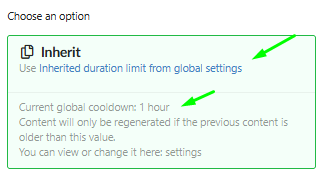
Result: All Flows using the Inherit option will automatically apply this new restriction.
2. Overriding the Rule for a Specific Flow (Practical Scenarios)
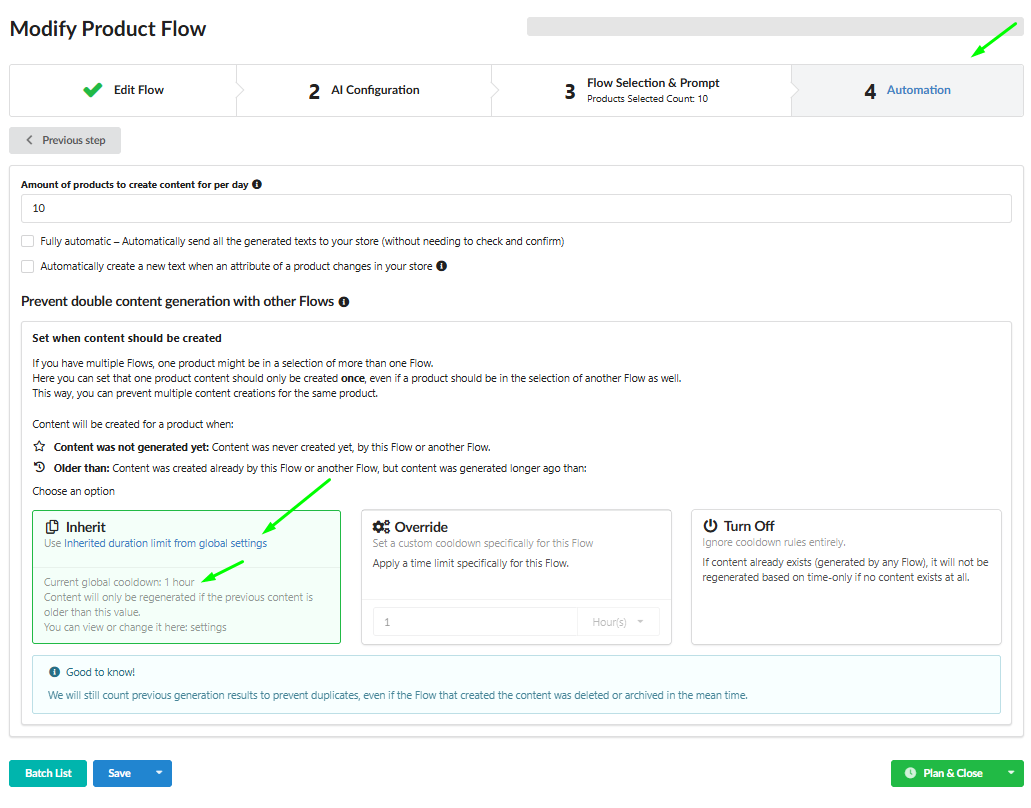
In the settings of each individual Flow (section 4 Automation), you decide whether it will adhere to the Global Settings or have an exception:
If you want the Flow to ignore all duplication rules (even if the Global Rule is active), see A.
If you want to set a Custom Time Limit (Override), see B.
If you want to completely turn off all global duplication rules, see C.
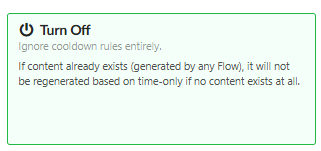
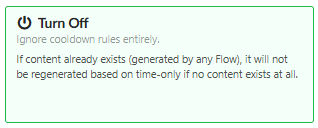
Scenario A: Full Generation Permission (No Restrictions) (Turn Off)
Your Goal: You want the Flow to ignore all duplication rules (even if the Global Rule is active).
Steps:
Go to the settings of the desired Flow (e.g.,
Modify Product Flow).Navigate to section 4 Automation.
In the "Prevent double content generation with other Flows" block, select the Turn Off option.
Save changes.
Result: This Flow will generate content regardless of whether content already exists from other Flows.
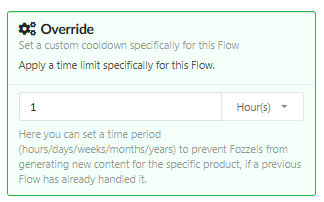
Scenario B: Setting a Custom Time Limit (Override)
Your Goal: You want this Flow to have a time limit different from the Global Setting.
Steps:
Go to the settings of the desired Flow.
In section 4 Automation, select the Override option.
Enter the required time limit value (e.g., 1 hour) in the field that appears.
Save changes.
Result: The Flow will use only this new, individual rule.
Scenario C: Starting Over (Removing All Restrictions)
Your Goal: You have decided to completely turn off all global duplication rules, allowing all Flows to create content without period-based restrictions.
Steps:
Navigate to Global Settings (
Profile→Settings→Content Flow).Deactivate the "Use duration limit" toggle.
Click the Save button.
Result: All Flows set to Inherit will begin running without duplication restrictions, as the Global Rule is effectively disabled. If you want a Flow set to Override to also run without restrictions, change it to Inherit or disable the restriction using Turn Off.
or
Was this article helpful?
That’s Great!
Thank you for your feedback
Sorry! We couldn't be helpful
Thank you for your feedback
Feedback sent
We appreciate your effort and will try to fix the article