Gemini said
Never fear losing a great idea or your original product description again. With the Content Completion History, you have total control over the evolution of your content.
What is Content Completion History?
Fozzels now automatically archives every iteration of your text - whether generated by AI or manually edited by your team. It’s a professional version control system designed specifically for product data.
Key Features:
Source of Truth: The very first version in your history is always the original attribute value pulled from your store. Your "baseline" content is always just one click away.
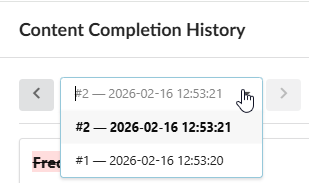
Unlimited Versions: You can have as many iterations as you need. Use the version dropdown to navigate through every state the content has ever been in.
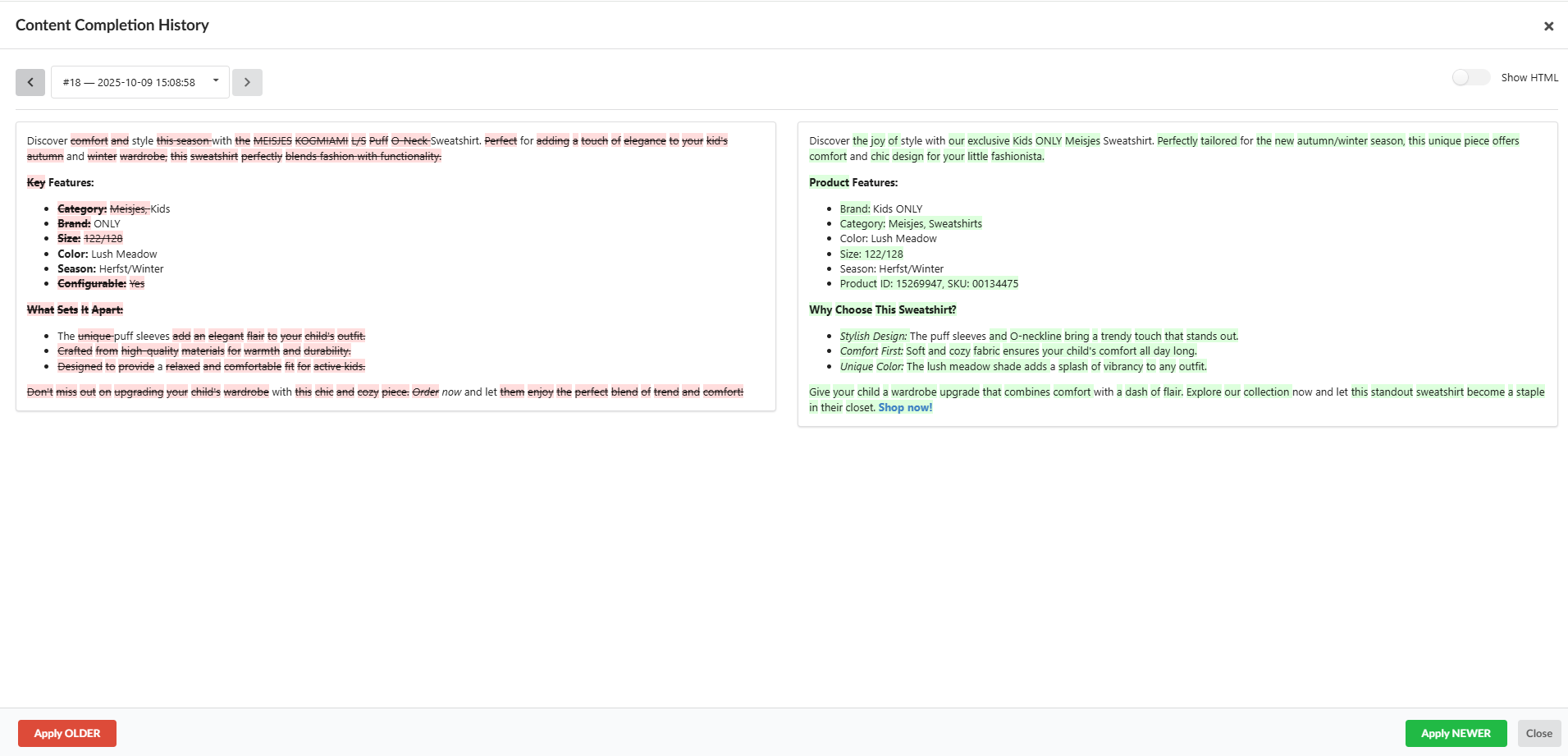
GitHub-Style Comparison: Changes are highlighted (red for removed, green for added). See exactly what was modified between any two selected versions in real-time.
Suspicious Words Support: Even in the revision history, the system highlights "suspicious" terms, helping you identify which version contained potential AI artifacts or technical notes.
Two Rendering Modes:
Rendered (Show HTML): See exactly how the content will look on your live website front-end.
Raw Tags: View the text with HTML tags for precise technical control over the formatting.
How to Restore and Save Versions?
Open the editing window (Edit completion result).
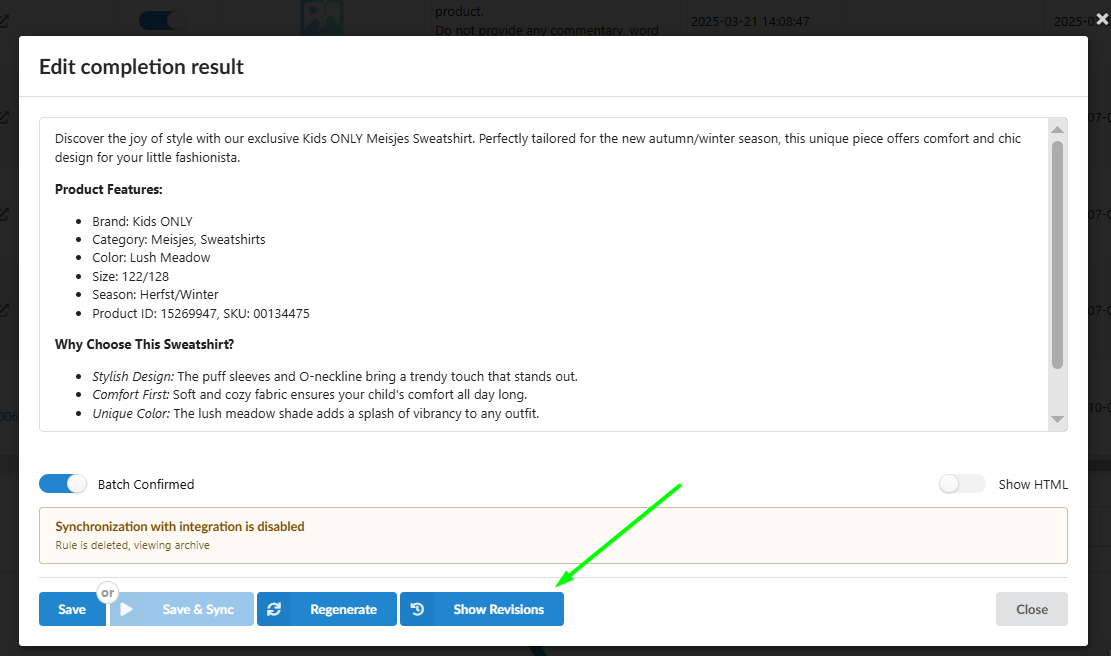
Click the "Show Revisions" button in the bottom panel.
In the Content Completion History window, use the dropdown menus to select the versions you want to compare. Toggle Show HTML to check the visual layout vs. raw code.
Found the version you like best from the dropdown.
Hit "Apply OLDER" or "Apply NEWER". The pop-up will close, and the selected text will fill the main editor.
⚠️ Crucial Step: Once the pop-up closes, the chosen version is loaded into the editor but not yet saved to the database. You MUST click SAVE to store the changes or SAVE & SYNC to push them to your website immediately.
Was this article helpful?
That’s Great!
Thank you for your feedback
Sorry! We couldn't be helpful
Thank you for your feedback
Feedback sent
We appreciate your effort and will try to fix the article