When managing large catalog integrations, controlling when and how fast Fozzels imports product data from your e-commerce platform is key to maintaining store performance.
With the Global Pull Schedule and Pull Throttling settings, you can schedule sync times to avoid peak store traffic and adjust API pauses to prevent rate-limiting errors.
Where to Find These Settings
Log in to Fozzels.
Go to Configuration for your active integration.
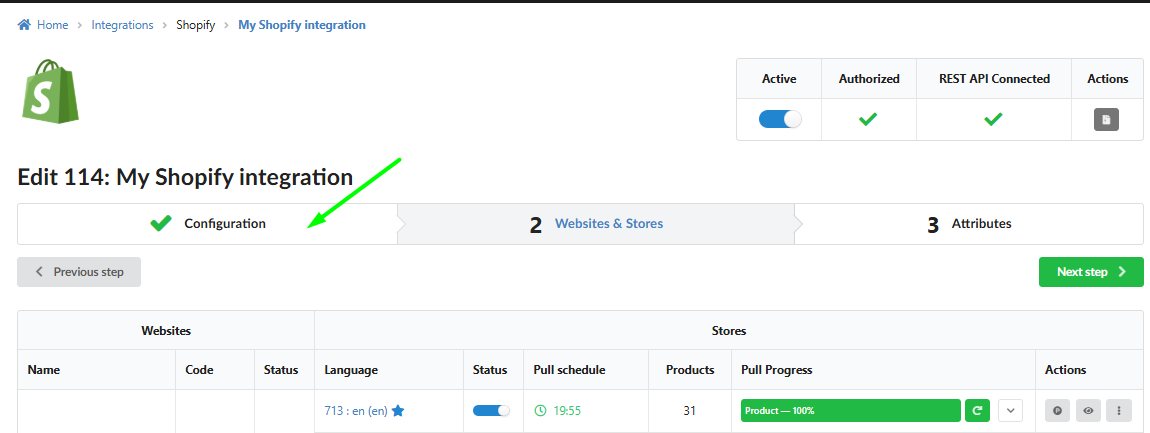
Scroll down to the Global Pull Schedule section.
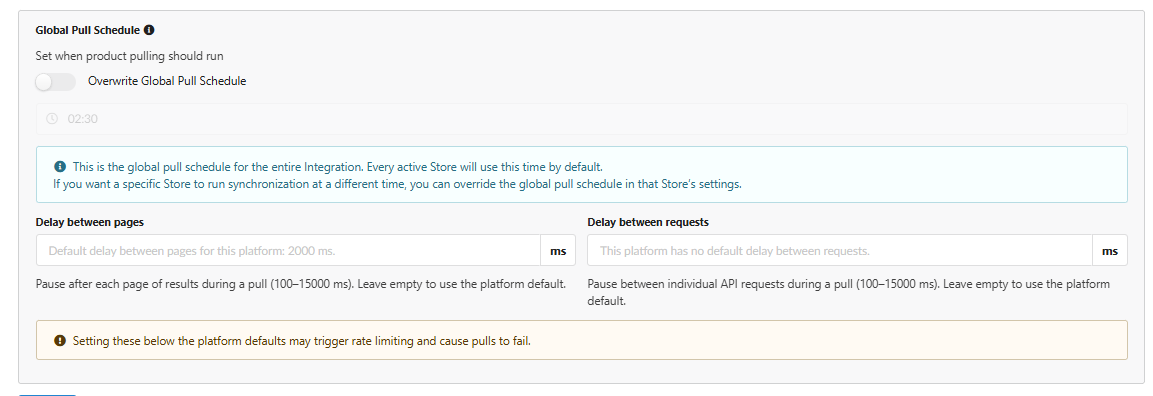
1. Global Pull Schedule
The Global Pull Schedule allows you to define a single, master time for Fozzels to automatically start pulling catalog updates across your entire integration.
How It Works:
Default Schedule: Every active store within your integration uses this scheduled time by default.
Store-Level Overrides: If you run multiple storefronts (e.g., in different time zones) and want a specific store to pull data at a different time, you can enable the Overwrite Global Pull Schedule toggle inside that specific store's individual settings.
? Best Practice: Set your pull schedule during off-peak hours (e.g., late at night or early morning) when website traffic is lowest to minimize any potential load on your store's backend.
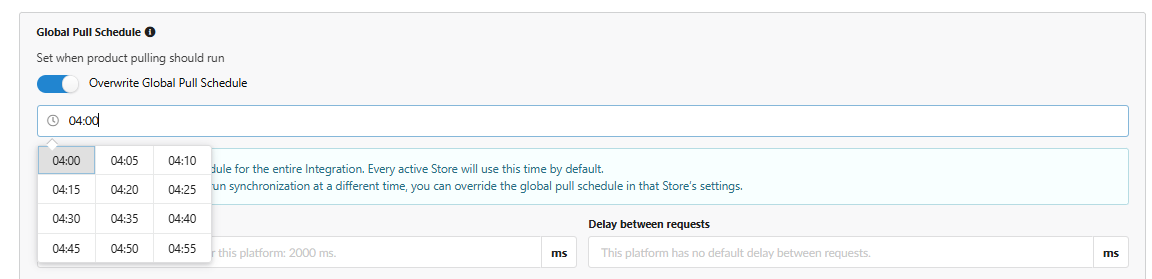
2. Pull Throttling (Delays Between Requests)
API Rate Limits are restrictions imposed by platforms like Shopify, Magento, VTEX or others to prevent servers from being overwhelmed by too many requests at once.
If Fozzels requests product data too quickly, your store's server might return a 429 Too Many Requests error. Pull Throttling solves this by adding controlled pauses between sync operations.
Configurable Parameters:
Delay between pages (
100–15,000 ms):What it does: Adds a pause (in milliseconds) after Fozzels finishes fetching each batch/page of products before asking for the next page.
Default / Recommendation:
2000 ms(2 seconds). Leaving this blank uses your platform’s default speed.
Delay between requests (
100–15,000 ms):What it does: Adds a pause between individual API calls made while processing items on a page.
Default / Recommendation:
200 ms.
Don't forget to save your changes - click SAVE button.
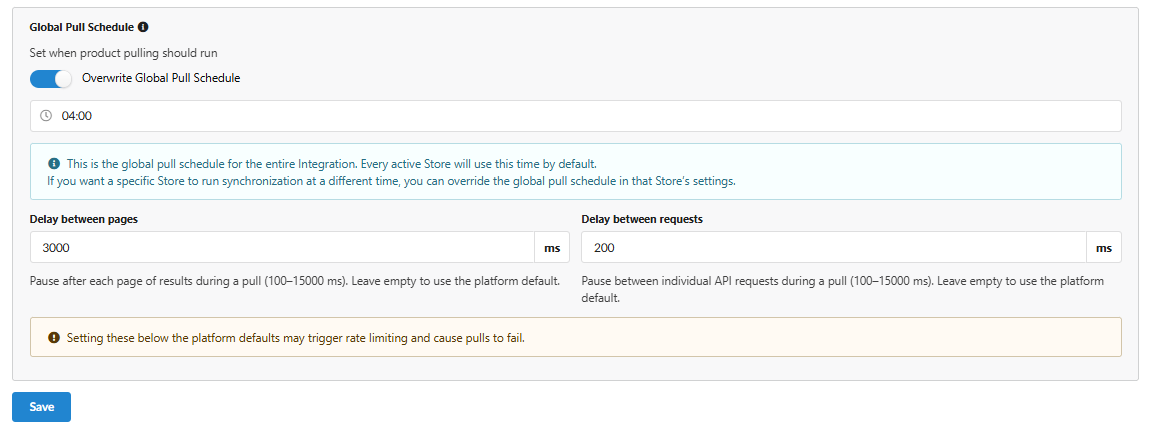
⚠️ Caution: Setting delays below your e-commerce platform’s recommended defaults can trigger rate-limiting errors from your store server, which may cause catalog pulls to fail prematurely. If you experience failed pulls or rate-limit warnings, gradually increase these delay values to give your store server more time between requests.
Was this article helpful?
That’s Great!
Thank you for your feedback
Sorry! We couldn't be helpful
Thank you for your feedback
Feedback sent
We appreciate your effort and will try to fix the article